
Ask experienced traders what tools a beginner needs and the honest answers shrink the list. You need a way to practice without paying tuition to the market, a way to test whether your rules are actually rules, a way to record what you did, and, once you trade live, a way to plan without spending the evening hunting for levels. Four jobs. Add them in that order.
Key takeaways
- Start free: paper trading, chart replay, an economic calendar, and a spreadsheet journal can cover the first months.
- The tool is not the priority. One clear setup, defined rules, and an honest record matter more.
- Backtesting is a desk job. A phone is better suited to monitoring and management than building a system.
- The first paid tool worth adding is a planning layer that returns time by organizing levels, targets, and invalidation context.
- If a tool does not change a decision, it is another screen. Drop it.
Prices and free features were checked October 23, 2026, on the providers’ official sites. Features, promotions, and billing terms can change.
Best tool for practicing: a broker with free paper trading
Webull is a practical beginner choice because its official help center documents paper trading on mobile, desktop, and web. The current simulator supports stocks, ETFs, options, crypto, futures, and event contracts, although availability and behavior vary by product and platform.
Paper trading teaches order tickets and platform mechanics without risking real money. It does not reproduce every live fill, spread, delay, or emotional decision. Treat it as a flight simulator, not proof that a strategy will make money.
Use it long enough to make the basic actions boring: choosing the correct ticker and side, entering quantity, selecting an order type, and checking the order before submitting. When you need the broker-specific workflow, read how to swing trade on Webull. If Robinhood is your broker, use the separate Robinhood swing-trading guide.
Moomoo also advertises paper trading. The right simulator is usually the one closest to the platform you expect to use live.
Best tool for testing a strategy: TradingView Bar Replay
TradingView’s Bar Replay reveals historical price one bar at a time. Choose a starting point, press play or advance manually, and make the decision before the next bar appears. Slow is the feature. You find out quickly whether “wait for confirmation” is an actual rule or something you say after seeing the outcome.
TradingView currently lists a free Basic plan with replay on daily and higher timeframes. Paid plans add different amounts of intraday history and replay capability, so confirm the timeframe and history you need before upgrading.
Record the entry, invalidation, target, and result while you replay. Later, a coded strategy, Python, and a clean data file may support deeper testing. That is a later-stage job. A beginner first needs rules clear enough to test by hand.
Best tool for reviewing: a trade journal
A spreadsheet counts. Give each trade one row and record:
- entry,
- exit,
- stop or invalidation,
- target,
- position size,
- whether you followed the rules,
- and the outcome.
Add a screenshot and one sentence explaining the decision. After a useful sample, filter by setup and market condition. The journal becomes the real system tester because it separates a losing trade that followed the plan from a bad trade that broke it.
Myfxbook is one automated option for forex traders. Everyone else can start with a spreadsheet. Honest review beats an expensive indicator package.
Best tool for avoiding scheduled surprises: an economic calendar
CPI, an FOMC decision, an earnings report, or another scheduled release can change price and liquidity quickly. Check a free economic calendar before the session and check the company’s earnings date before holding a stock overnight.
Tradays is one calendar app, but any maintained calendar that shows the event, time, and expected importance can do this job. The point is the habit, not the logo.
Best tool for planning real trades: Eden
When practice ends and real money starts, the job changes. Now you need an entry area, a target, and invalidation context for a specific ticker before the session begins.
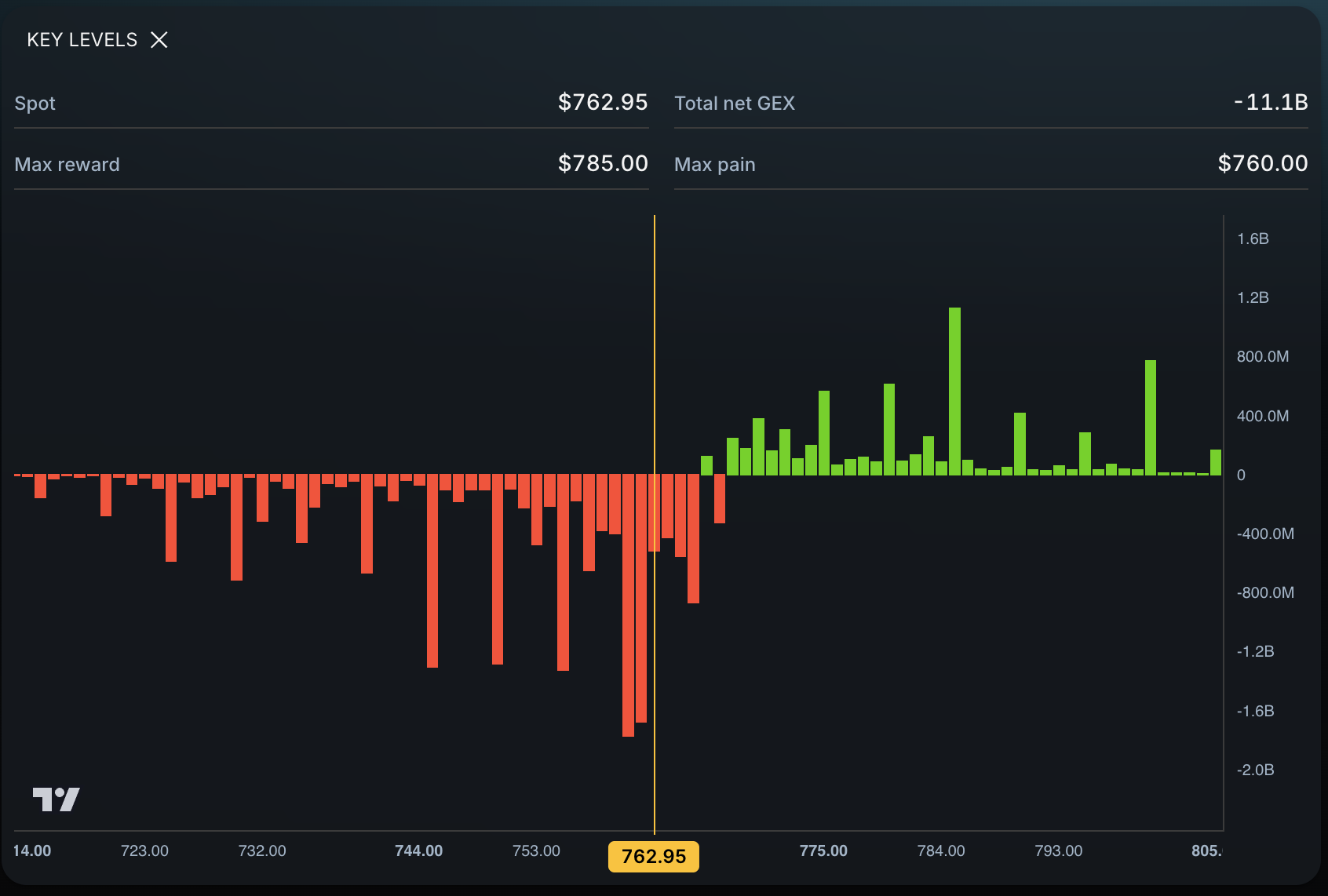
Eden puts the planning map in one place:
- market structure and momentum,
- key levels, including P-Trans and N-Trans,
- price targets for different holding horizons,
- gamma exposure,
- and the unusual options screener.
Pulling up the map takes under 10 seconds. That is a claim about opening the analysis, not about finding a winning trade. The time saved belongs in execution practice and journal review.
Eden costs $39 per month billed monthly. It is not a broker. It does not execute trades, offer paper trading, or backtest a strategy. Pair it with the tools above. Its job is to replace the separate level, target, positioning, and screening views a trader might otherwise bolt together.
Before paying, learn the basic plan in Eden’s swing-trading introduction. If you trade options, use the broader options-trading toolkit to separate the jobs performed by brokers, market software, indicators, books, and communities. If you are comparing paid categories on a budget, use the list of options tools under $50.
What you do not need yet
You do not need a pile of indicators, an unusual-flow firehose, a professional terminal, or a drawer of subscriptions. Simplicity matters because every new screen creates another reason to hesitate or rewrite a plan.
The sharpest answer in the research was also the shortest: “Just me. I’m the tool.” The point is not that software has no value. It is that the trader still defines the rules and makes the decision. As skill grows, the useful stack often becomes smaller.
How many tools do you actually need?
| Stage | Job | Tool | Starting cost |
|---|---|---|---|
| Practicing | Learn orders and execution mechanics | Webull paper trading or your broker’s simulator | Free |
| Testing | Replay historical decisions | TradingView Bar Replay | Free Basic tier for daily-or-higher replay |
| Recording | Review rules and outcomes | Spreadsheet or journal | Free |
| Preparing | Avoid scheduled event surprises | Economic calendar | Free |
| Planning live trades | Organize levels, targets, and invalidation context | Eden | $39/month |
Most beginners can spend months on the free stack. Add one paid tool only when a repeated live-trading job costs more time than the subscription returns.
How to choose: the seven-session test
Run any tool for seven sessions. Write down whether it changed:
- an entry,
- an invalidation,
- a target,
- or a trade you skipped.
Keep what changes decisions. Cancel what only adds charts. For the broader buying test, read what makes a trading tool worth paying for every month.
Frequently asked questions
What is the best trading app for beginners?
It depends on the job. Webull provides free paper trading for practice. TradingView handles charting and replay. No single app performs every beginner job equally well.
Do beginner traders need paid tools?
Not at the start. Paper trading, basic replay, an economic calendar, and a spreadsheet journal can cover the first months. A planning tool becomes useful when it returns enough preparation time to justify its cost.
What is the best backtesting tool for beginners?
TradingView Bar Replay is a practical starting point because it forces the decision before the next bar appears. Available history and replay features vary by plan and timeframe. Slow is the feature.
Is TradingView enough for a beginner?
It can cover charting and basic replay. It does not supply Eden’s options-derived key levels, price targets, or dealer-positioning context. That is a different job.
Can Eden replace my broker or TradingView?
No. Eden is the planning layer. It does not execute trades, provide paper trading, or backtest a strategy.
Official sources
- Webull, Paper Trading and paperTrade overview
- TradingView, Plans and Pricing and Bar Replay instructions
- Eden, current pricing
Takeaway
Four jobs need four tools in order: practice, test, record, then plan. Start free. Add the planning layer when the money is real, and let the journal—not the app drawer—tell you what deserves the next subscription.