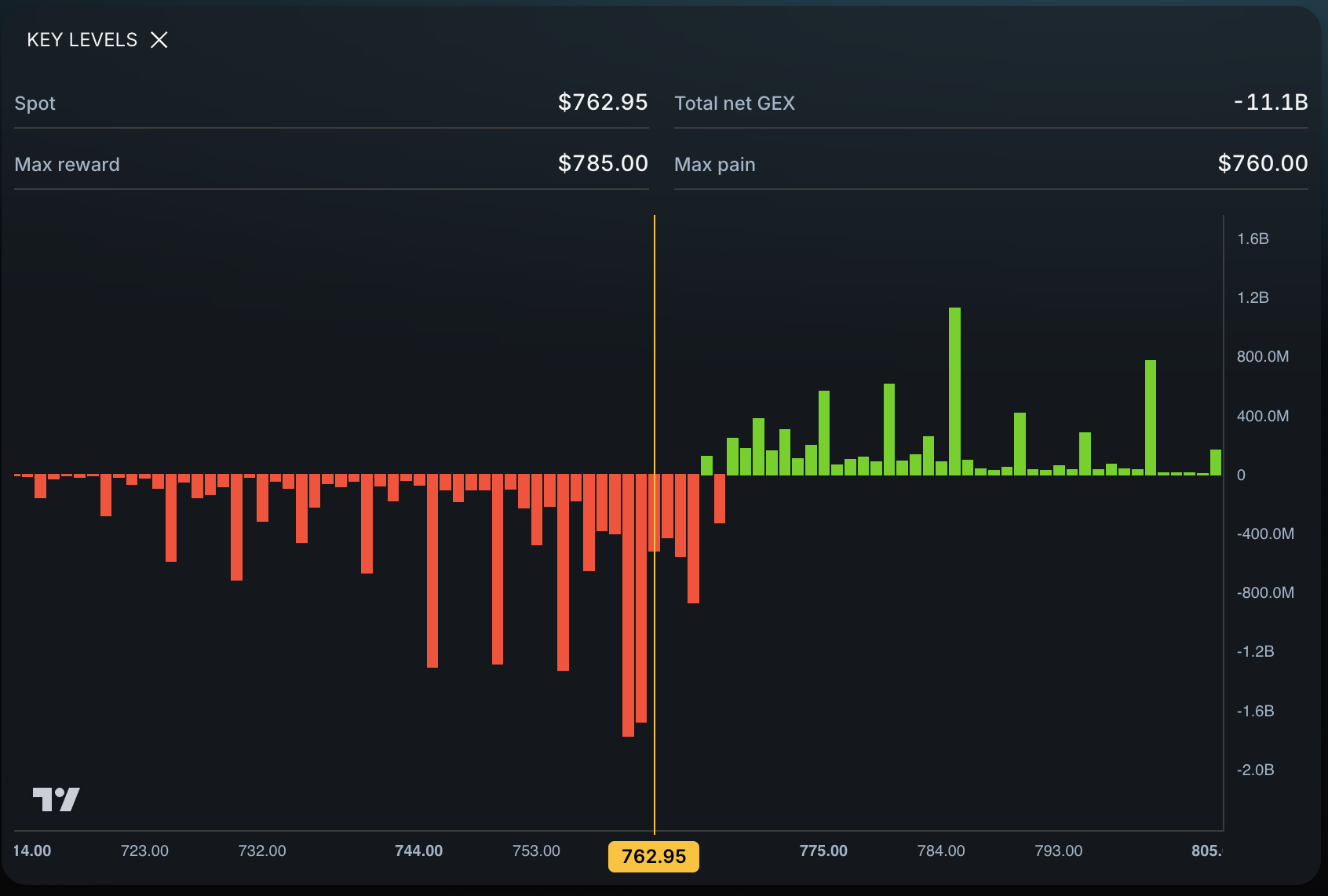
Eden vs. drawing support and resistance by hand is a choice between two sources of context, not a contest where one method must replace the other. Manual levels come from price history you select on the chart. Eden adds options-derived context and potential targets in a consistent ticker workflow.
Choose traditional levels when prior highs, lows, ranges, and repeated reactions are central to your setup. Add options-derived levels when you want to know where positioning may create another decision area or potential target.
Two sources, one trade plan
Traditional support and resistance marks areas where price reacted before or where traders commonly watch the chart. Options-derived levels point to prices that may matter because options positioning is concentrated nearby.
One looks mainly at price history. The other adds a separate view of current market positioning. Neither guarantees that price will hold or reverse.
The manual morning routine
Before the open, you mark yesterday’s high and low, the overnight range, gaps, VWAP, major swing points, and volume areas. The process can build useful familiarity with the chart.
It can also create problems:
- Different days produce different rules.
- Too many lines make every price look important.
- A rushed morning leads to missed or misplaced levels.
- Several tickers multiply the work.
- Price history alone does not show options positioning.
The answer is not always another tool. Sometimes the answer is a smaller, more consistent manual process.
Traditional levels vs. options-derived levels
| Decision factor | Traditional support and resistance | Eden options-derived levels |
|---|---|---|
| Control | You choose every source and line | You review the levels shown for the ticker |
| Time | Requires repeated chart work | Ticker view presents current price and nearby levels together |
| Consistency | Depends on applying the same rules each day | Same product workflow across supported tickers |
| Context | Strong price-history awareness | Adds options-derived market context and potential targets |
| Skill required | Requires practice identifying meaningful areas | Still requires the trader to interpret reactions and manage risk |
| Best fit | Trader who enjoys chart preparation and uses a small watchlist | Trader who wants faster preparation or follows more names |
How to build a useful map by hand
Start with only levels that have a job:
- Prior day high, low, and close
- Overnight high and low
- One or two clear swing levels
- A current-session reference such as VWAP
- The next potential destination above and below price
For each level, write whether it is an entry area, invalidation reference, target, or market-context line. Delete anything you cannot explain.
What Eden adds to that routine
Enter a ticker in Eden and see current price, nearby key levels, possible invalidation context, and potential price targets in one view. The value is not automatic trade instructions. It is less collection work and another source of context before price reaches the area.
You still decide:
- whether the level matters to your setup,
- what hold, reclaim, rejection, or break is required,
- where the idea becomes wrong,
- and whether enough room remains to the next target.
A combined workflow
You do not have to choose one source forever.
- Draw the two or three price-history levels you trust.
- Open the ticker in Eden.
- Note where an Eden level sits near a manual level.
- Remove duplicate lines.
- Decide what reaction would validate the setup.
- Use the chart to observe the reaction.
An overlap can deserve attention, but it does not guarantee a reversal or breakout.
When drawing by hand is better
Manual work may be enough when you trade one market, enjoy the preparation, and apply a proven process consistently. It also keeps you close to price action instead of depending on a separate product.
When Eden is better
Eden may be worth adding when morning preparation is too slow, you trade several supported tickers, your chart becomes crowded, or you want options-derived levels and targets beside current price.
For a SPY- and QQQ-specific routine, read How to Find SPY and QQQ Support and Resistance Using Options Positioning.
Frequently asked questions
Does Eden draw levels on TradingView for me?
No. Eden shows levels in its own ticker workflow. You can use the relevant values alongside your charting process.
Are options-derived levels better than price levels?
Not in every situation. They come from a different source of market context. Price action still determines whether a level holds or fails.
Should I remove all my manual levels?
No. Keep the levels that serve a clear purpose. The goal is a readable plan, not loyalty to one method.
Takeaway
Manual drawing gives control and chart familiarity. Eden reduces repeated work and adds options-derived context. Use the method—or combination—that gives you a small number of levels, clear invalidation, and a realistic target before the trade begins.