Choose a realistic destination
A price target gives the trade a possible exit zone and a goal tied to a specific expiration. It helps you plan before entering instead of hoping the stock travels forever.
Eden’s price targets are forward-looking ranges derived from option premiums and implied volatility. They describe a possible range by an expiration date. They are not a promise that price will reach either side.
Open the Price Targets widget
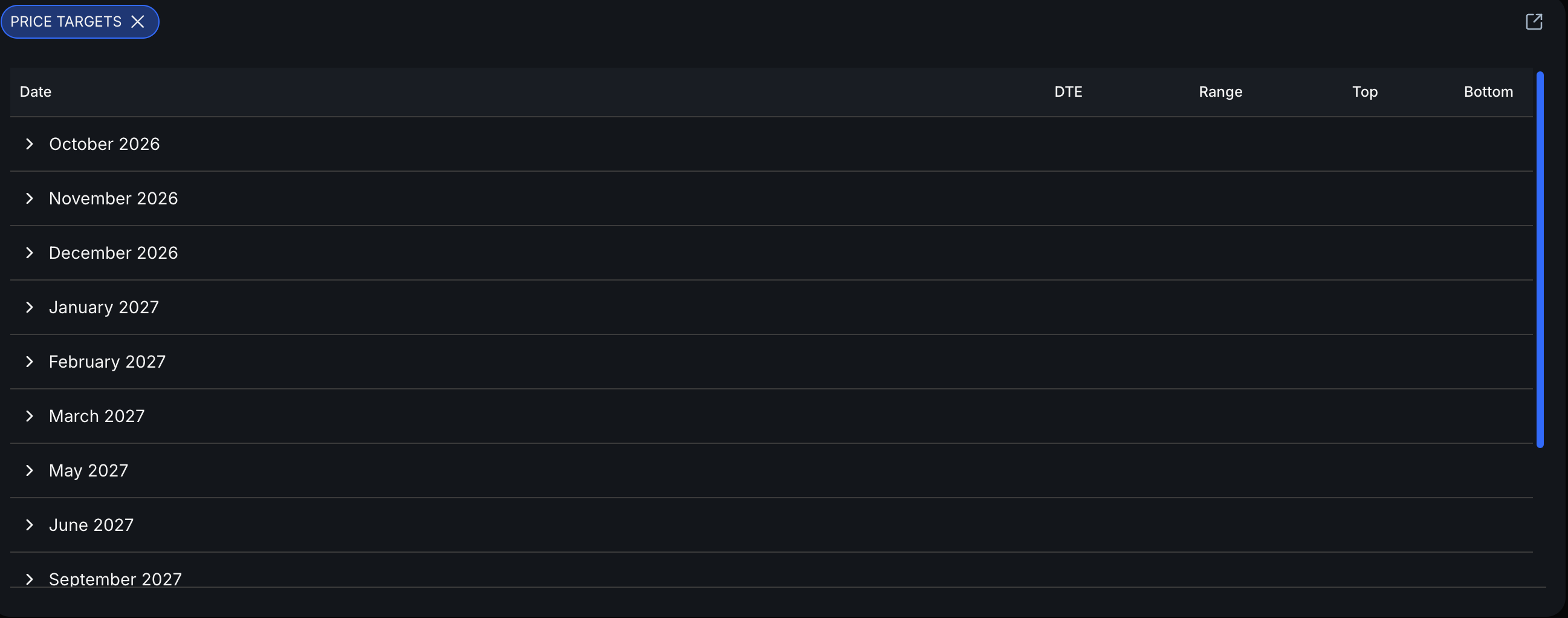
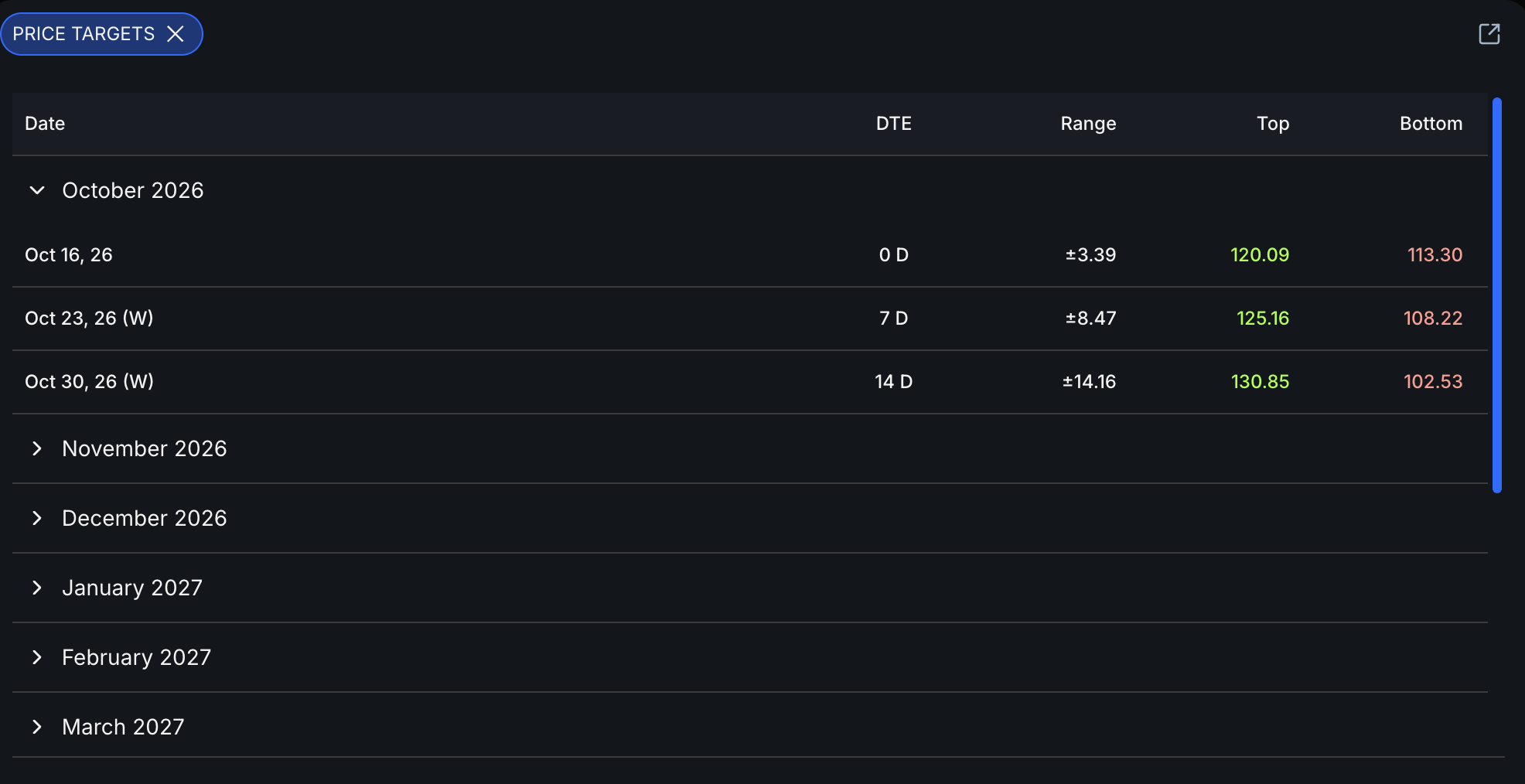
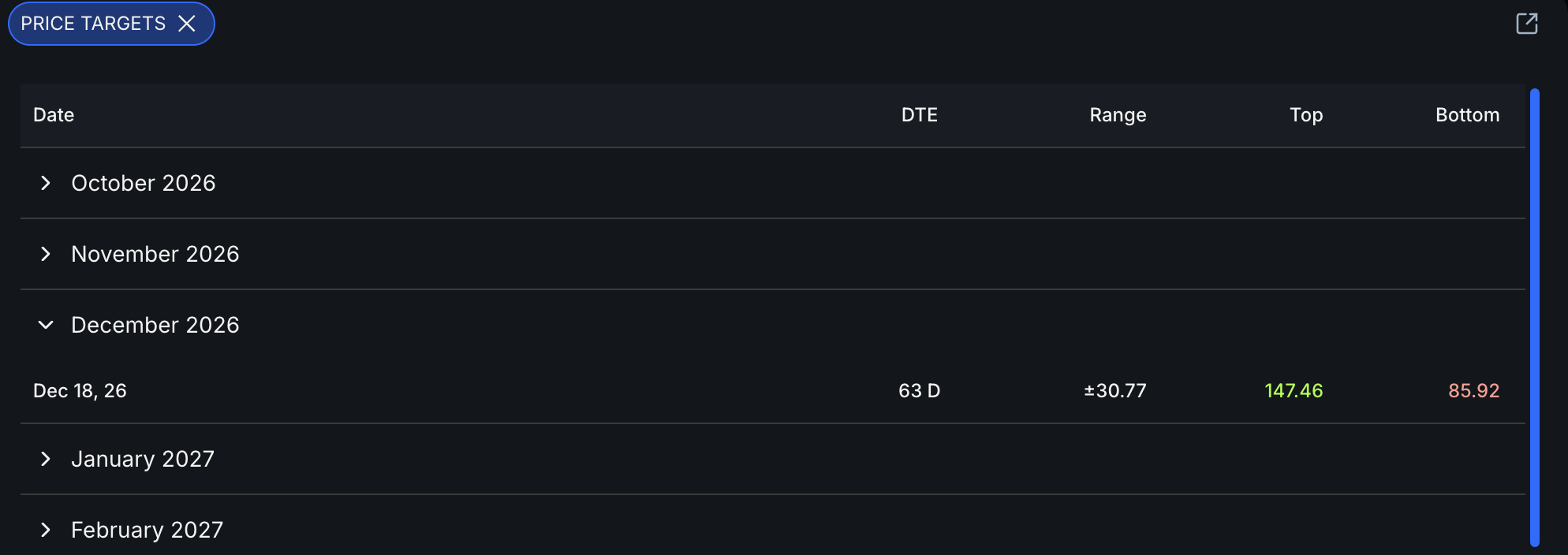
Open RH in the Price Targets widget. Expirations are grouped by month. Expand a month to see each available expiration and its range, top, and bottom.
Match the target to the trade
Best suited to an intraday plan. Mark it near the opening session, within roughly the first 20 minutes, because implied volatility and time value change during the day.
Use the weekly expiration for a short swing trade. It normally ends on Friday, with holiday weeks adjusting the expiration.
Use the last listed expiration of the month for a medium-length plan. Mark it during the first one or two trading days of the month.
Use a wider range for a trade built around a quarterly time frame or a company’s next earnings cycle.
Use the broadest target for a plan that may last most of a year. Mark the new range near the start of the year.
Choose quarterly targets correctly
Use the next quarterly month
Quarterly cycles commonly use March, June, September, and December. When one quarter ends, mark the last listed expiration in the next quarterly month.
Use the next earnings cycle
After the latest earnings report has been digested, find the next expected earnings date. Use the listed expiration closest after that date.
Find RH’s next earnings window
In this example, RH reported earnings on September 10, 2026. Its next earnings date was estimated for December 3, 2026.
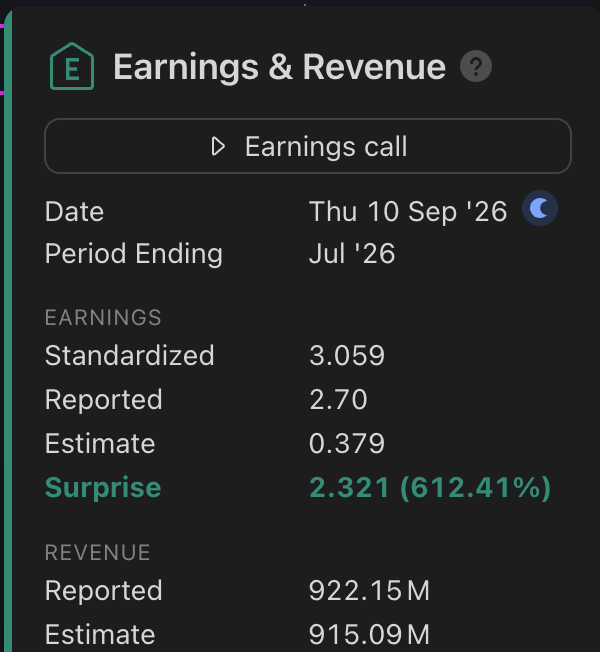
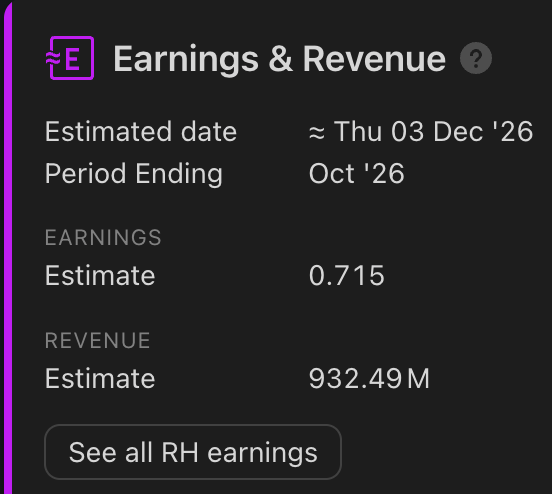
The December 18 expiration is the listed expiration closest after the estimated earnings date, so it fits this quarterly RH example.
Read the RH quarterly range
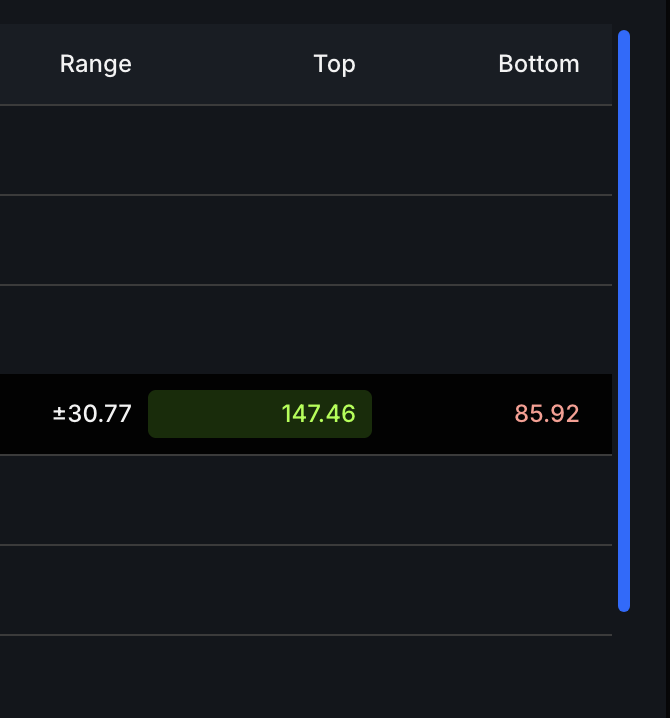
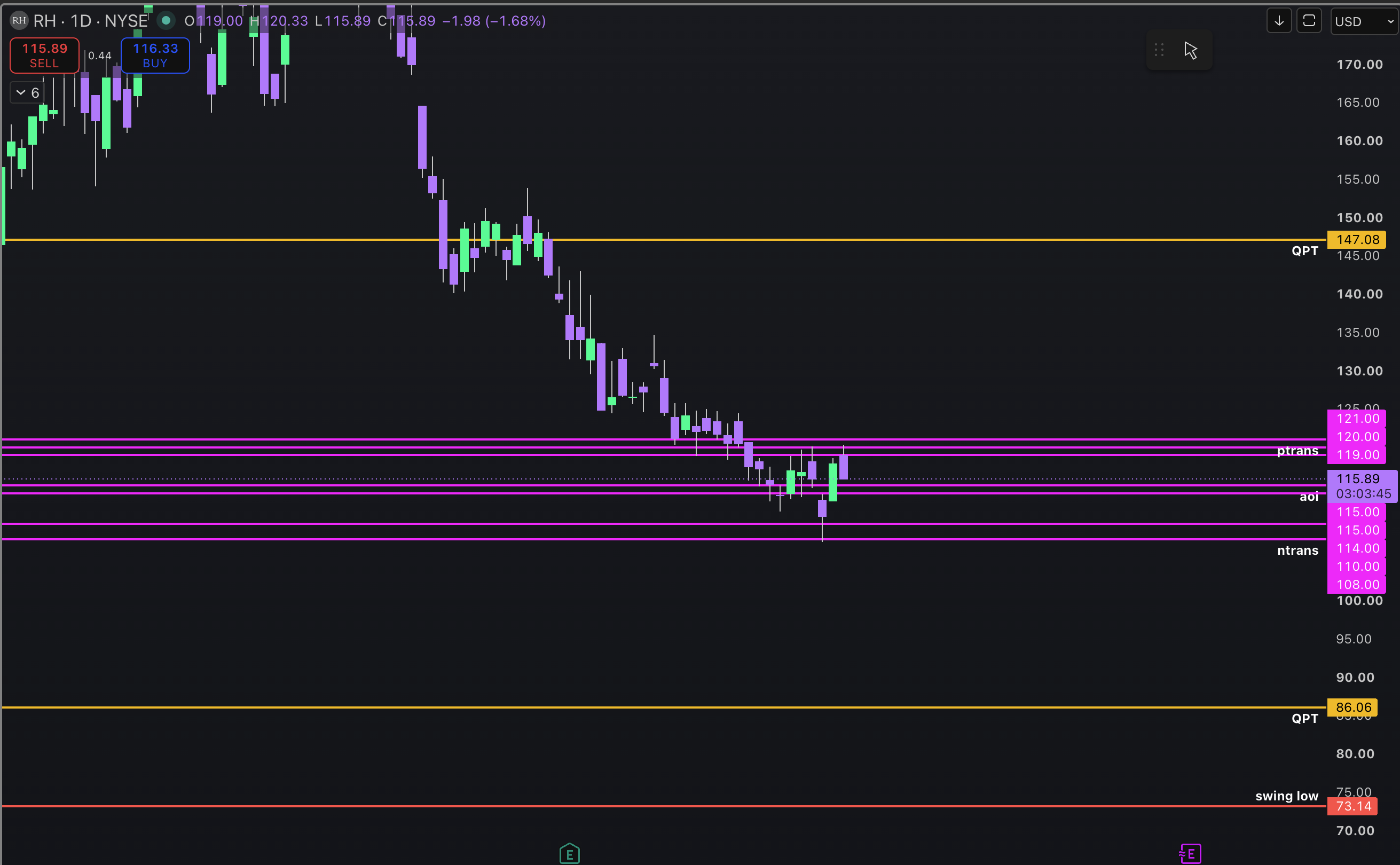
Expand December 2026 and find December 18. The captured widget shows a top near $147 and a bottom near $86, with a range of about ±$30.77.
Copy the targets to your chart
Click the value in the Top column to copy it, then paste it into your charting tool. Repeat the process for the Bottom value. Label both lines QPT, short for quarterly price target.