Find prices that may matter
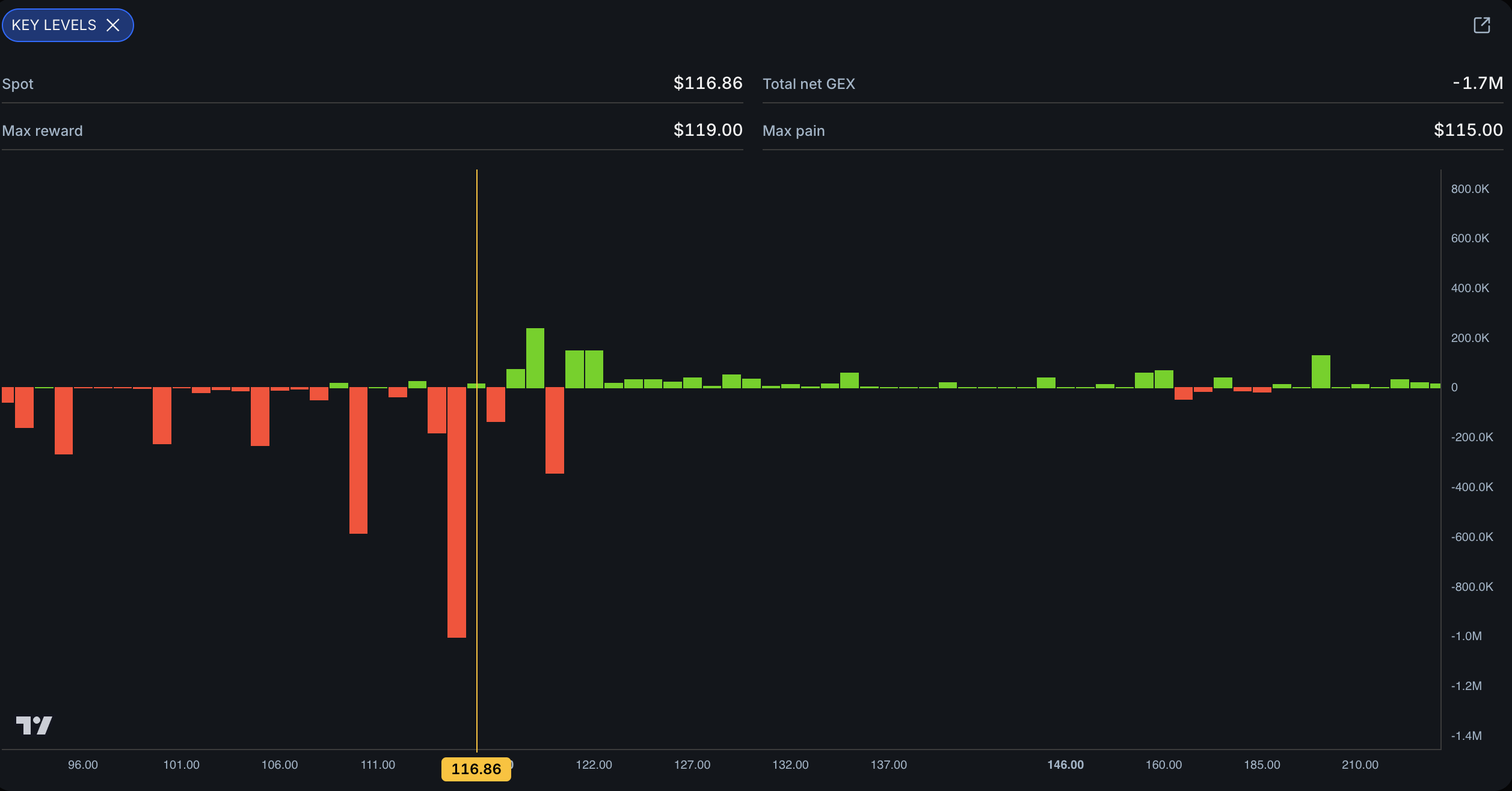
The Key Levels widget helps you find areas of interest, also called AOIs. An AOI is a strike with a bar that stands taller than the normal bars around it.
Think of the chart like a city skyline. Most buildings are close to the same height. The tall buildings are easy to spot, so those are the places you mark on your map.
Look across the full chart
Open RH in the Key Levels widget. Start by looking at the normal height of the bars. Then find the bars that are clearly taller than the nearby group.
Both green and red bars can become AOIs. The color gives options-positioning context, but it does not permanently label a level as support or resistance.
Use price to give the level context
Possible resistance
When price rises toward a tall bar above it, that strike may become an area where the move slows or reacts.
Possible support
When price falls toward a tall bar below it, that strike may become an area where the move slows or reacts.
An AOI is a place to watch. It is not a promise that price will stop or reverse there.
Inspect the strength of a bar
Not every tall bar has the same strength. Eden measures each strike from its options-premium dynamics so you can compare a stronger wall with a weaker area that may be easier to cross.
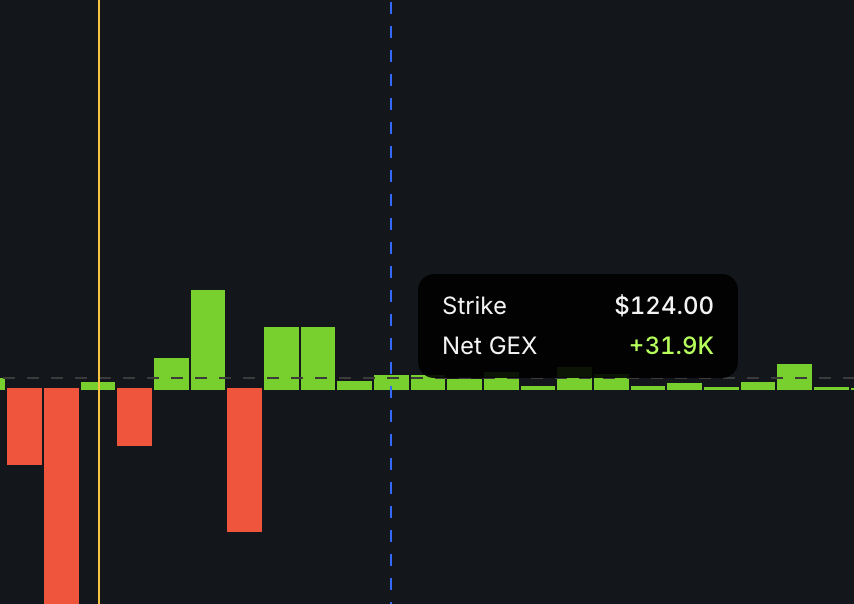
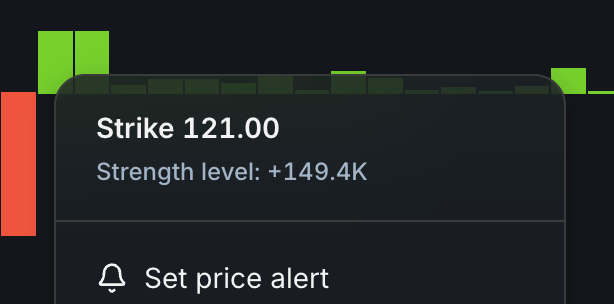
Hover over a bar to see its strike and Net GEX. You can also right-click the bar to open its menu and see the strength level.
Add the AOIs to TradingView
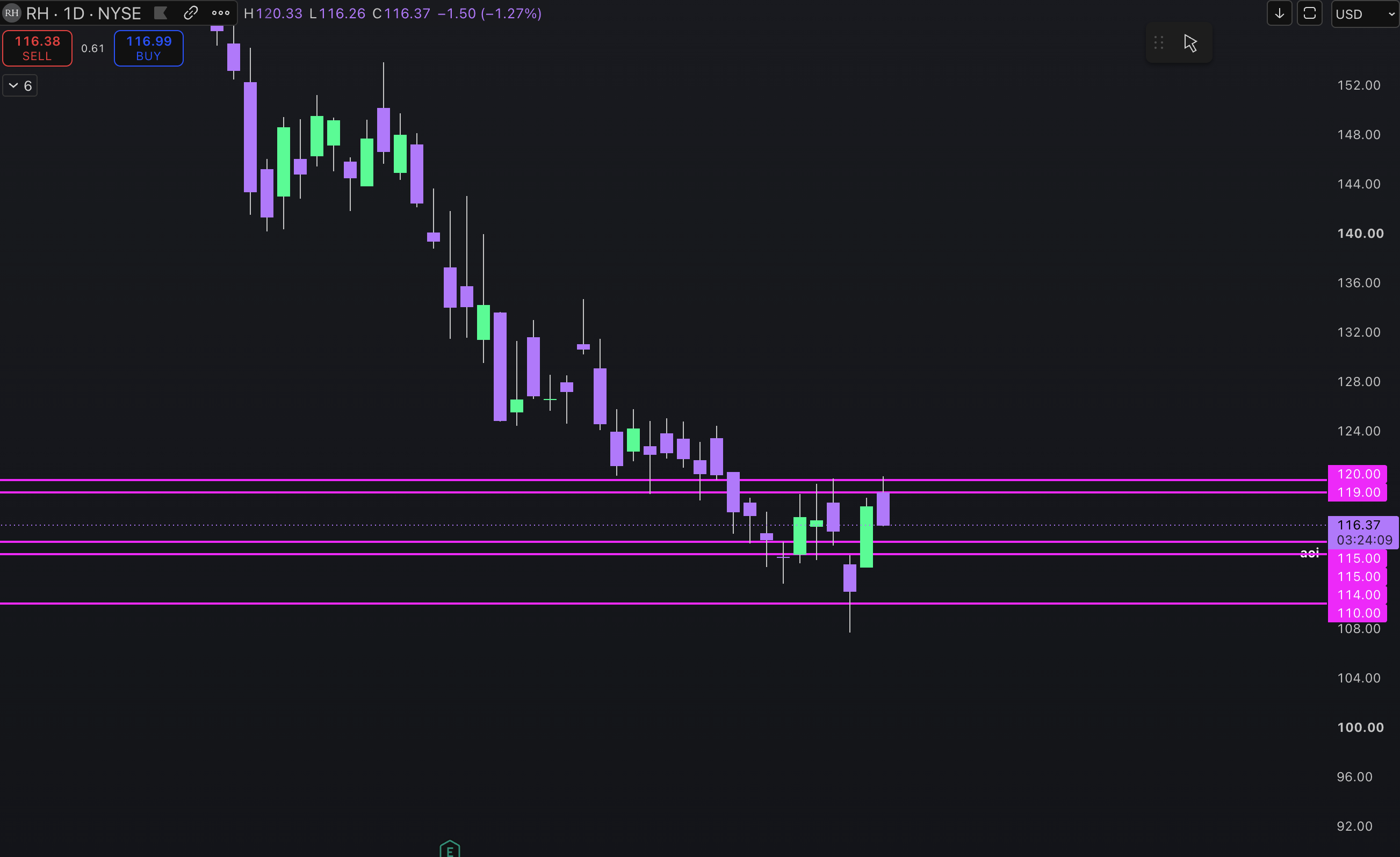
Draw horizontal lines at the tall-bar strikes you want to watch. Label each line AOI. This turns the histogram into a price map you can use while RH moves.
Check the levels again tomorrow
AOIs are dynamic because options positioning changes. A strong level today may weaken or disappear tomorrow.
For example, if you planned to use $115 as support and that bar disappears while momentum remains bearish, price may continue toward the next AOI. Recheck the widget before assuming an old level still protects the trade.