2

Chapter 2

Set Up Eden

Add the Quote, Key Levels, and Price Targets widgets, then choose one ticker.

Build your swing-trading workspace

You only need three Eden widgets for this course: Quote, Key Levels, and Price Targets. Together, they help you study the larger move, plan an entry, and choose a possible destination.

1
Step 1

Open Add Widgets

Go to the top-right corner of Eden and click the Add Widgets button. It looks like a plus sign inside a square.
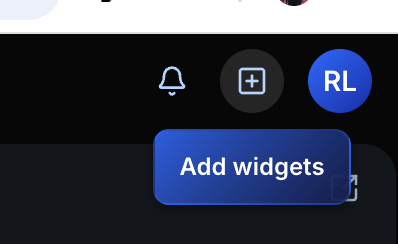
The Add Widgets button in the top-right corner of Eden
Click Add Widgets to open the widget menu.
2
Step 2

Add the three widgets

In the widget menu, click Quote, Key Levels, and Price Targets. Clicking a widget adds it to your current layout.
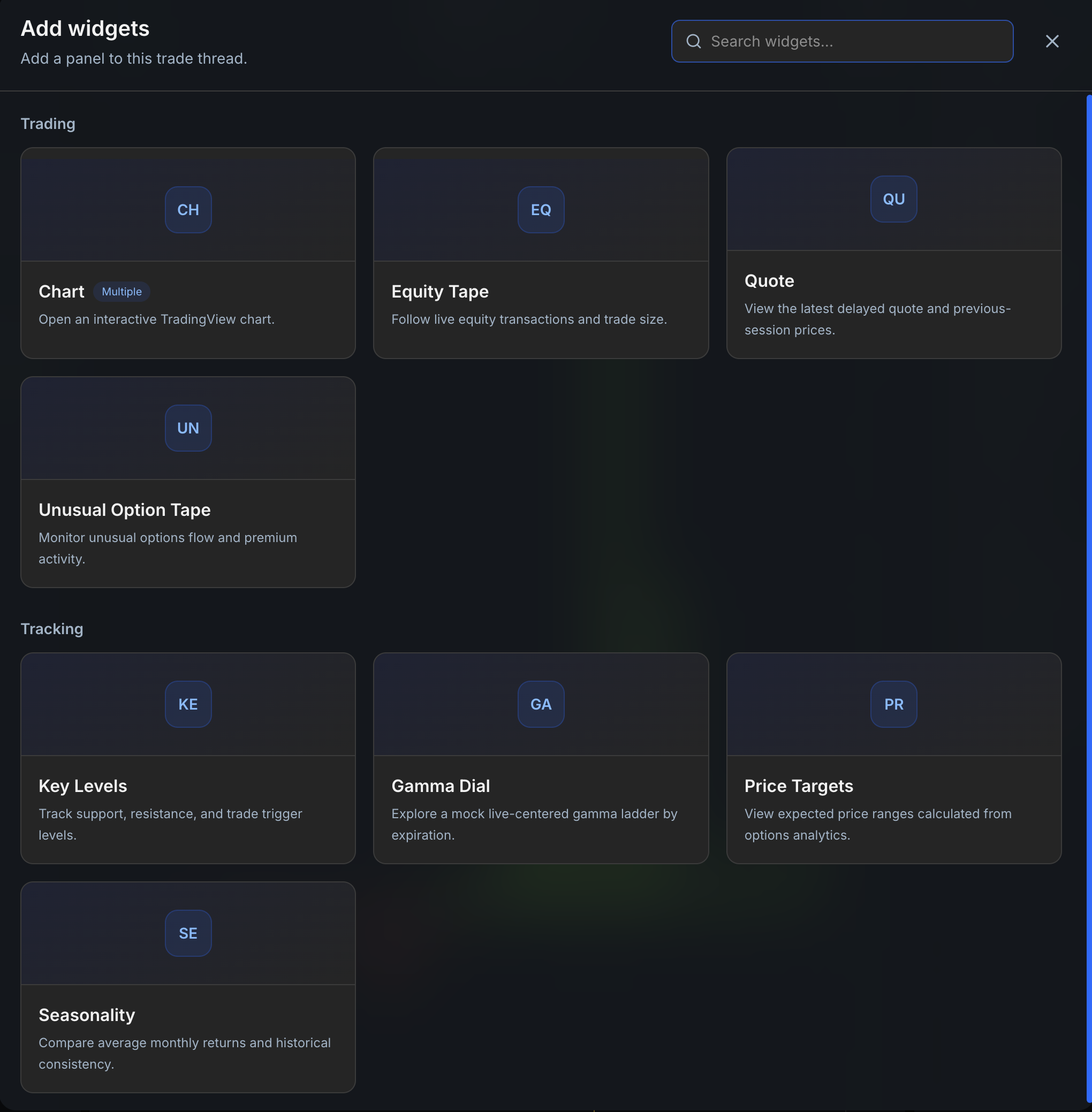
Eden Add Widgets menu showing Quote, Key Levels, and Price Targets
Add Quote from Trading, then Key Levels and Price Targets from Tracking.
3
Step 3

Search for a ticker

Click the search bar at the top of Eden. You can also open search with Command + K on a Mac or Control + K on Windows.

Eden search bar labeled Search symbols or companies

Type a ticker symbol, such as AAPL, or enter a company name, such as Apple. Select the correct company from the results.
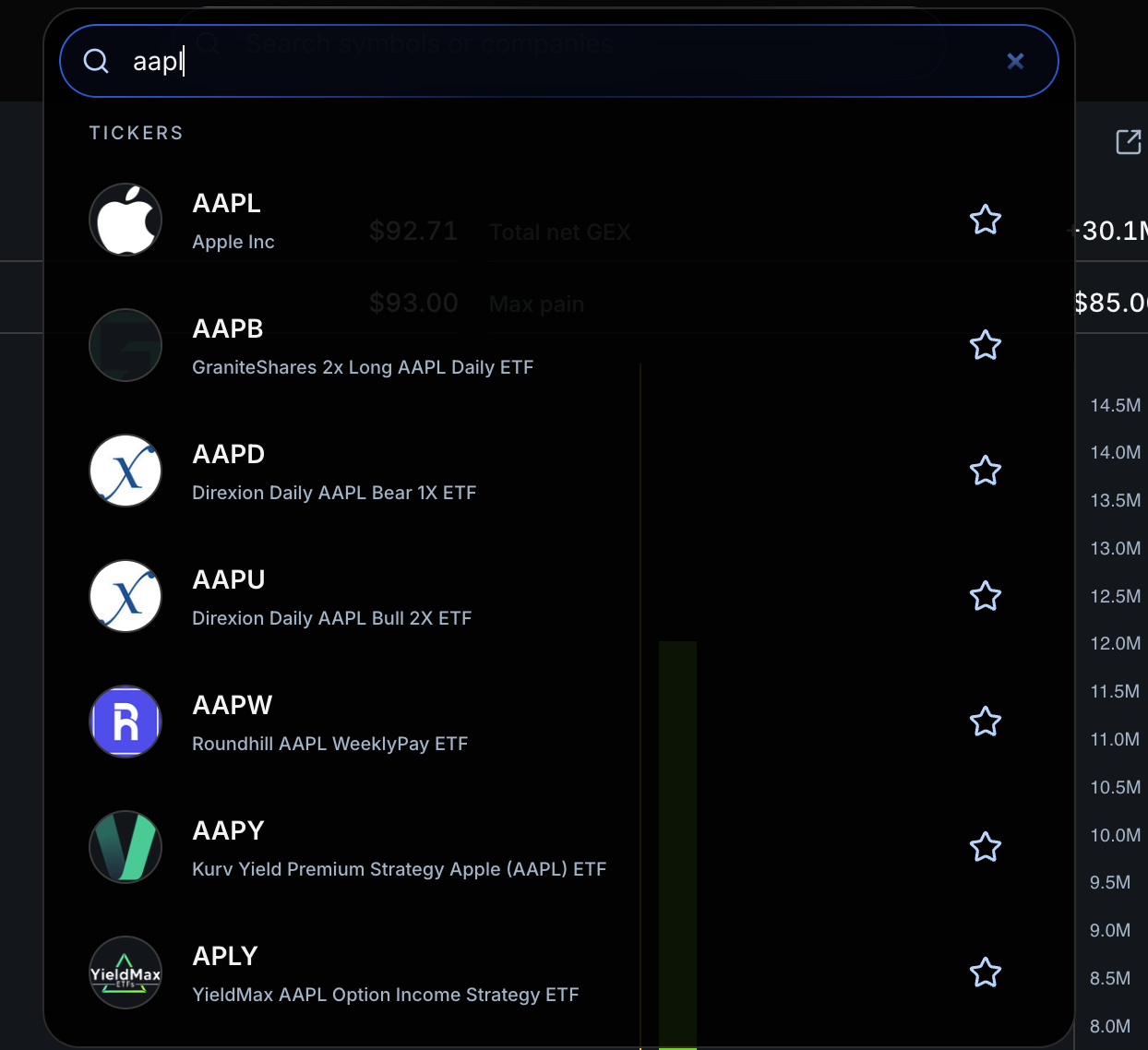
Eden ticker search results for AAPL and Apple Inc
Search by ticker symbol or company name, then choose the correct result.
4
Step 4

Check your finished layout

Your workspace should now show the Quote, Key Levels, and Price Targets widgets for the same ticker. The panels can be arranged differently, but all three should be visible.
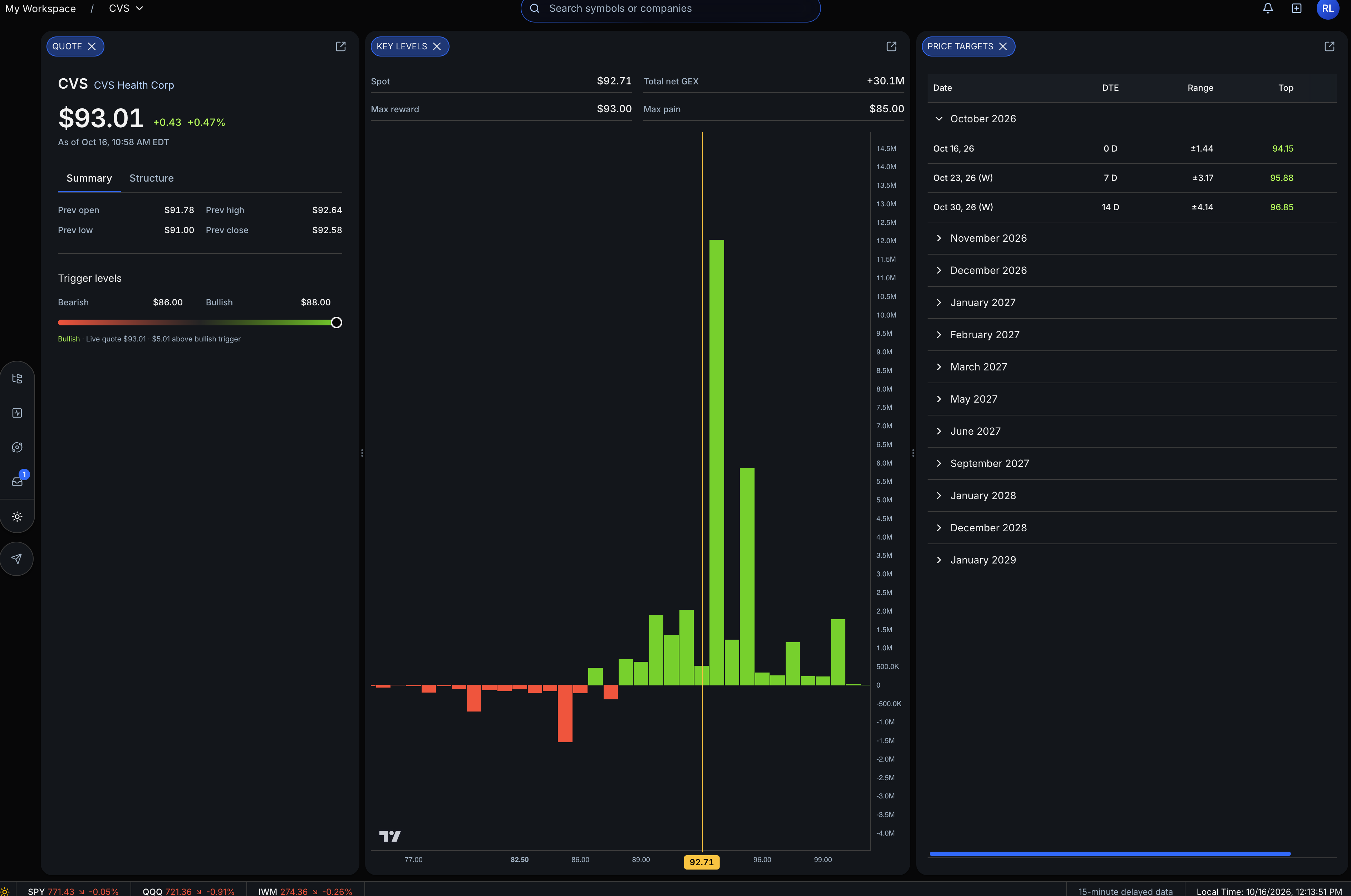
Completed Eden workspace with Quote, Key Levels, and Price Targets widgets
A finished workspace with all three widgets open for one ticker.

You’ve completed Chapter 2

You’ve finished Set Up Eden. Keep going while the ideas are fresh.

Next up

3: Read Market Structure

Use the Quote widget to see whether the larger move is bullish or bearish.

Start Chapter 3
Swing Trading course

Course curriculum

  1. 01
    Chapter 1Introduction
  2. 02
    Chapter 2Set Up Eden
    ✓
  3. 03
    Chapter 3Read Market Structure
  4. 04
    Chapter 4Check Momentum
  5. 05
    Chapter 5Understand Key Levels
  6. 06
    Chapter 6How to Find Entries
  7. 07
    Chapter 7Choose a Price Target
  8. 08
    Chapter 8Define Risk
  9. 09
    Chapter 9Build the Final Trade Plan